
Imagine you hire a smart assistant. You tell it your name. It says, “Nice to meet you, Rudra!”
Two minutes later you ask, “What’s my name?”
It replies: “I have no idea who you are.”
Frustrating, right? That is exactly what happens when your AI workflow has no way to carry information forward. Every step starts fresh. Nothing carries forward. The agent looks brilliant in one message and completely lost in the next.
LangGraph was built to fix this exact problem. The fix starts with one simple idea: a shared whiteboard that every step of your workflow can read and write on.
That whiteboard is called State. Around it sit three more pieces — Nodes, Edges, and Graphs. Master these four building blocks first. Once you understand how data moves, how nodes communicate, and how routing works, the advanced features of LangGraph become much easier to learn.
This article teaches all four — with real-world analogies first, runnable code second, and actual terminal output third. No fluff. Let’s go.
Before You Start: Prerequisites & Setup
Prerequisites:
Basic Python functions and dictionaries
Python type hints (helpful, not mandatory)
Python 3.10 or higher
Setup:
python -m venv venv
source venv/bin/activate   # On Windows: venv\Scripts\activate
pip install "langgraph==0.2.60" pydantic typing_extensions
What you will build: By the end, you will build a complete conditional AI workflow — a greeting agent that normalizes input, checks conditions, and routes to different responses. Along the way you will see persistent memory with checkpointers, parallel execution with Fan-Out / Fan-In, safe loops, and error recovery.
Why AI Developers Need More Than Just LLM Calls
A basic LLM call does not provide persistent memory or workflow orchestration by itself. You can pass conversation history manually, but managing complex branching, repeated execution, tool calls and recovery requires additional orchestration.
What: LangGraph is a Python library for building AI agent workflows as graphs. You break work into small tasks (nodes), connect them with arrows (edges), and let data flow through them (state).
Why: Because single-call LLMs cannot remember across invocations, cannot branch on conditions, and cannot loop safely without guardrails.
How: You define State, add Nodes, connect with Edges, compile the Graph.
When: Chatbots with memory, multi-step reasoning, tool-using agents, RAG pipelines — any workflow that needs more than one LLM call.
Where: Anywhere you would otherwise write a messy 500-line Python script that calls an LLM five times with manual state juggling.
Part 1: State in LangGraph — The Shared Memory Behind Every Node
Picture a factory assembly line. A conveyor belt carries one open box. Worker 1 puts in a wheel. Worker 2 adds a seat. Worker 3 bolts the door. Each worker opens the same box, adds something, and passes it on.
That box is State. It is the shared memory of your entire workflow during a single run.

The Technical Definition
State is a shared data structure that stores information as it flows through the nodes of a graph. In LangGraph, it is usually a TypedDict or a Pydantic model. Every node can read it, and every node can update it.
from typing_extensions import TypedDict

class HelloWorldState(TypedDict):
    message: str
Just one field. One string. That is the “Hello World” of LangGraph state.
Important distinction: State remembers information during one graph run. To preserve that state across separate invocations, LangGraph uses checkpointers with thread IDs. We will prove this later with a real experiment.
The Most Important Part: Overwrite vs Append
This is where students get confused. Let’s show it on the whiteboard, literally.
Scenario A: Default Behavior (Overwrite — Old Data Dies)
By default, if a node returns a value for an existing key, the old value is replaced.
# BEFORE any node runs:
whiteboard = {"message": "Hi! "}

# Node 1 returns a new message:
whiteboard = {"message": "Hello World"}

# Node 2 returns again:
whiteboard = {"message": "Goodbye"}
What the whiteboard actually looks like after each step:
Step 0:  {"message": "Hi! "}          ← initial
Step 1:  {"message": "Hello World"}   ← "Hi! " DELETED, replaced
Step 2:  {"message": "Goodbye"}       ← "Hello World" DELETED, replaced
See that? “Hi! ” is gone. “Hello World” is gone. Only the latest survives. That is the default overwrite rule.

Scenario B: Reducer Behavior (Append — Old Data Survives)
For chatbots, you never want to delete old messages. You want to append. That is what a reducer does — it tells LangGraph how to merge new data with old data.
from typing import Annotated
from typing_extensions import TypedDict
from langgraph.graph.message import add_messages

class ChatState(TypedDict):
    messages: Annotated[list, add_messages]   # ← reducer
That Annotated[..., add_messages] is the magic. Every time a node returns a new message, LangGraph appends it instead of replacing.
Step 0:  {"messages": [HumanMessage("Hi!")]}
Step 1:  {"messages": [HumanMessage("Hi!"), AIMessage("Hello!")]}   ← BOTH kept
Step 2:  {"messages": [HumanMessage("Hi!"), AIMessage("Hello!"), HumanMessage("How are you?")]}
Important nuance: add_messages is not purely append-only. If an incoming message has the same ID as an existing message, it replaces that message instead of appending a duplicate. For most chat use cases without explicit IDs, it behaves as append. Do not treat “append-only, nothing ever dies” as a universal rule.

Scenario C: Custom Reducer (Your Own Rules)
Sometimes you want custom merge logic — like uppercasing every new log entry, or summing numbers.
from typing import Annotated
from typing_extensions import TypedDict

def custom_append(existing: list[str], new_items: list[str]) -> list[str]:
    return existing + [item.upper() for item in new_items]

class LogState(TypedDict):
    logs: Annotated[list[str], custom_append]
If state has ["start"] and a node returns ["step 1"], the reducer merges it to:
["start", "STEP 1"]
The signature is always the same: (existing, new) -> combined. That is the only rule.
Pydantic State — When You Need Strict Validation
TypedDict gives you type hints only. Python itself does not enforce those types at runtime. Watch this:
from typing_extensions import TypedDict

class StrictState(TypedDict):
    retry_count: int

bad_state: StrictState = {"retry_count": "three"}   # ← Python accepts this silently!
A static type checker (mypy) may flag that line, but Python itself will not stop you. That "three" string will crash your code later when you try retry_count + 1.
Pydantic validates at runtime:
from pydantic import BaseModel, Field, ValidationError

class AgentState(BaseModel):
    username: str
    retry_count: int = Field(default=0, ge=0)   # ← must be >= 0

# Valid:
ok = AgentState(username="Rudra", retry_count=2)
print(ok.model_dump())
# Output: {'username': 'Rudra', 'retry_count': 2}

# Invalid:
try:
    AgentState(username="Rudra", retry_count=-5)
except ValidationError:
    print("ERROR: retry_count cannot be negative")
# Output: ERROR: retry_count cannot be negative
Important clarification: Pydantic validates model instances when they are created. Do not assume every partial node update is automatically revalidated as a complete Pydantic model. If you want that, you must explicitly build a model instance yourself inside the node.
TypedDict vs Pydantic — Quick Comparison
| Feature | TypedDict | Pydantic (BaseModel) |
|---|---|---|
| Type checking | Static hints only | Runtime, strict |
| Default values | Manual | Field(default=...) |
| Speed | Very fast | Slightly slower |
| Best for | Chat apps, speed | API contracts, validated inputs |
State vs Checkpointers: Why Your Agent Forgets Between Runs
Here is the difference that confuses every beginner.
State lives during one
graph.invoke()call.Checkpointer persists the state of a particular thread across runs.
Store provides cross-thread long-term memory (for facts shared across many users/threads — out of scope here).
So: State + Checkpointer + thread_id = persistent thread-level memory. Not “long-term memory” in the general sense.
Let’s prove it with a clean experiment that uses separate input and internal state schemas so the second call cannot overwrite the saved count by accident.
from typing_extensions import TypedDict
from langgraph.graph import StateGraph, START, END
from langgraph.checkpoint.memory import MemorySaver

class OverallState(TypedDict):
    count: int
    increment_by: int

class InputState(TypedDict):
    increment_by: int

class OutputState(TypedDict):
    count: int

def increment(state):
    current = state.get("count", 0)
    return {"count": current + state["increment_by"]}

builder = StateGraph(OverallState, input=InputState, output=OutputState)
builder.add_node("increment", increment)
builder.add_edge(START, "increment")
builder.add_edge("increment", END)

graph = builder.compile(checkpointer=MemorySaver())

config = {"configurable": {"thread_id": "user-1"}}

print(graph.invoke({"increment_by": 1}, config))   # Run 1
print(graph.invoke({"increment_by": 1}, config))   # Run 2 — same thread
Output:
{'count': 1}
{'count': 2}
The second call did not supply count at all. The checkpointer restored the previous count from thread user-1. Change thread_id to "user-2" and it starts fresh at 1 again.
Why the earlier version of this experiment was misleading: if you send {"count": 0} on both calls, the incoming input overwrites the saved count, and the “1 then 2” behavior you expect becomes unreliable. Separate InputState and OverallState fix that.
Part 2: Nodes in LangGraph — Turning Python Functions into Workflow Steps
If State is the conveyor belt, Nodes are the workers. Each worker picks up the box, does one specific job, and puts it back on the belt.

A Node is just a Python function. It takes state as input and returns either the full updated state or a partial dictionary with just the changed keys.
from langgraph.graph import StateGraph

def greet_user_node(state: dict):
    return {"message": "Hello World"}   # partial dict — only changed key

builder = StateGraph(dict)
builder.add_node("greet_user", greet_user_node)   # (name, function)
LangGraph is smart. If you return only {"message": "Hello World"}, it merges that into the existing state automatically. You don’t have to return the entire state.
🎯 Interview Question: What Happens When a Node Returns an Empty Dictionary?
Question: If a node returns an empty dictionary {}, what does the next node see in the state?
Answer: The exact same state as before. Nothing is deleted. Nothing is changed. The whiteboard is untouched.
Analogy: A worker picked up the box, looked inside, and put it back without adding anything. The box’s contents are safe.
from langgraph.graph import StateGraph, START, END
from typing_extensions import TypedDict

class State(TypedDict):
    data: str

def node_one(state):
    print(f"[Node 1] Before: {state}")
    return {"data": "Hello LangGraph"}

def node_two_empty(state):
    print(f"[Node 2] Received: {state}")
    return {}   # ← nothing changes

def node_three(state):
    print(f"[Node 3] Received: {state}")
    return {"data": state["data"] + " -> Finalized!"}

builder = StateGraph(State)
builder.add_node("n1", node_one)
builder.add_node("n2", node_two_empty)
builder.add_node("n3", node_three)
builder.add_edge(START, "n1")
builder.add_edge("n1", "n2")
builder.add_edge("n2", "n3")
builder.add_edge("n3", END)

graph = builder.compile()
print(graph.invoke({"data": ""}))
Terminal output:
[Node 1] Before: {'data': ''}
[Node 2] Received: {'data': 'Hello LangGraph'}
[Node 3] Received: {'data': 'Hello LangGraph'}
{'data': 'Hello LangGraph -> Finalized!'}
Notice Node 3 saw 'Hello LangGraph' — Node 2’s empty {} changed nothing. That is the rule.
Part 3: Edges in LangGraph — How AI Agents Decide What Happens Next
Think of a railway junction. Trains move on fixed tracks (normal edges). At some junctions, a signal operator checks the train’s status and switches tracks (conditional edges). Every journey starts at a departure platform (START) and ends at a destination (END).

The Four Edge Types
| Type | Syntax | Real-world meaning |
|---|---|---|
| START | add_edge(START, "node") or set_entry_point("node") | Departure platform |
| Normal | add_edge("a", "b") | Straight track |
| Conditional | add_conditional_edges("src", router_fn) | Signal operator |
| END | add_edge("node", END) or set_finish_point("node") | Destination |
Conditional Edge Example
def check_subscription(state):
    return "premium_greeting" if state["is_premium"] else "regular_greeting"

builder.add_conditional_edges("greet_user", check_subscription)
The router function reads the state and returns a node name as a string. LangGraph sends the workflow to whichever node you named.
🎯 Interview Question: Can You Chain Multiple Conditional Decisions in One Graph?
Question: Can a conditional edge route to another conditional edge?
Better framing: Can a LangGraph workflow execute multiple conditional routing decisions in sequence?
Answer: Yes — but not by routing an edge to an edge. A router returns a node name or END. It cannot return the name of another edge.
The solution: route through an intermediate node that has its own conditional edges.
Simplified routing snippet — assumes the nodes have already been registered.
# ✅ Router → Node → Router (valid chain)

def first_router(state):
    return "check_again_node" if state["needs_check"] else "final_node"

def check_again_node(state):
    return {"verified": True}   # this node does its work

def second_router(state):
    return "approve_node" if state["verified"] else "reject_node"

builder.add_conditional_edges("source", first_router)
builder.add_conditional_edges("check_again_node", second_router)
Two conditional decisions. Two separate routers. The key is that the first router points to a node, not directly to the second router.
Part 4: StateGraph Explained — Connect Everything into a Working Workflow
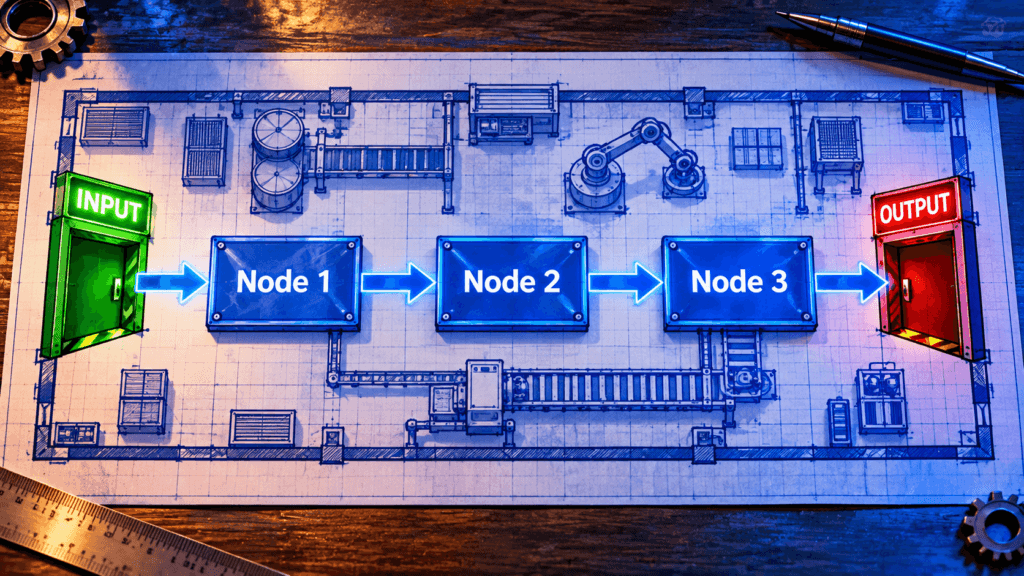
The Graph is the factory blueprint. It shows where every worker stands, which conveyor belt connects to which, where raw materials enter, and where the finished product exits.
from langgraph.graph import StateGraph

builder = StateGraph(MyState)
builder.add_node("worker_a", my_function)
builder.add_edge(START, "worker_a")
builder.add_edge("worker_a", END)
graph = builder.compile()
compile() does three things:
Validates the graph structure — checks that no edge points to a missing node.
Creates an executable graph — turns the builder into a runnable object.
Can configure persistence and interruptions — but only when you explicitly provide a
checkpointerorinterrupt_before/interrupt_after.
A checkpointer is not attached automatically. You must pass it: builder.compile(checkpointer=MemorySaver()).
Flexible State Management: Input, Internal & Output Schemas
Real apps often need to hide internal data from the outside world.
class OverallState(TypedDict):
    user_input: str
    partial_message: str
    message_output: str

class InputState(TypedDict):
    user_input: str              # what the outside world can send

class OutputState(TypedDict):
    message_output: str          # what the outside world receives

builder = StateGraph(OverallState, input=InputState, output=OutputState)
Now the graph only exposes user_input on input and message_output on output. Fields like partial_message stay hidden — data privacy inside a workflow.
🎯 Interview Question: What Is the Lifecycle of a LangGraph?
Answer — The 4 Stages:
Compilation —
compile()validates the graph and creates an executable object.Super-Step Execution — The graph runs in rounds called super-steps. In each round, one or more nodes can execute in parallel if they don’t depend on each other.
State Merging — Each node returns a partial dict. LangGraph merges them into the state using reducers.
Termination — When no nodes are active and no messages are in transit, the graph stops and returns the final state.
Key terms:
Activating a node: All nodes start inactive. A node becomes active only when it receives a new message from an edge.
Vote to halt: At the end of a super-step, nodes with no new messages vote to halt and go back to sleep.
When does it stop? When all nodes are inactive and no messages are in transit.
Analogy: A relay race. Runners stand ready (inactive). When the baton reaches them, they run (active). When no runner holds a baton and no baton is in transit, the race ends.
Part 5: Super-Steps & Parallel Execution — How Multiple Nodes Work Together
🎯 Interview Question: Two Nodes, One State Key — What Happens?
Question: How do you handle parallel node execution if both nodes update the same state key?
Answer: When nodes run in parallel (fan-out), LangGraph executes them concurrently. If they both return updates to the same key, behavior depends on the reducer:
Case A — Reducer exists (e.g.,
operator.addon a list): LangGraph merges both updates cleanly. Do not rely on an assumed execution order. If your application needs deterministic ordering, store ordering metadata and sort explicitly.Case B — No reducer (default overwrite): LangGraph raises a Conflicting State Update Error at runtime. It cannot guess which value to keep, so it fails loudly rather than silently dropping data.
Rule of thumb: If two nodes will touch the same key in parallel, always attach a reducer.
🎯 Interview Question: Fan-Out / Fan-In — How Do You Make Multiple Nodes Work Together?
Fan-Out: Route one node to multiple nodes simultaneously:
builder.add_edge(START, "web")
builder.add_edge(START, "books")
Fan-In — The Correct Syntax: Use a list of source nodes to tell LangGraph: “Wait for all of these before running the destination.”
builder.add_edge(["web", "books"], "aggregator")
Why this matters: Two separate edges (add_edge("web", "aggregator") + add_edge("books", "aggregator")) may cause the aggregator to run twice — once per source finishing. The list form guarantees a single execution after all sources complete.
Full working example:
from typing import Annotated
from typing_extensions import TypedDict
import operator
from langgraph.graph import StateGraph, START, END

class ResearchState(TypedDict):
    query: str
    findings: Annotated[list[str], operator.add]   # ← reducer required

def research_web(state):
    return {"findings": ["Web data collected"]}

def research_books(state):
    return {"findings": ["Book data collected"]}

def aggregator(state):
    print(f"[Aggregator] Combined findings: {state['findings']}")
    return {"query": state["query"] + " [Synthesized]"}

builder = StateGraph(ResearchState)
builder.add_node("web", research_web)
builder.add_node("books", research_books)
builder.add_node("aggregator", aggregator)

builder.add_edge(START, "web")       # Fan-Out
builder.add_edge(START, "books")     # Fan-Out
builder.add_edge(["web", "books"], "aggregator")   # Fan-In — list form!
builder.add_edge("aggregator", END)

graph = builder.compile()
print(graph.invoke({"query": "AI Evolution", "findings": []}))
Terminal output:
[Aggregator] Combined findings: ['Web data collected', 'Book data collected']
{'query': 'AI Evolution [Synthesized]', 'findings': ['Web data collected', 'Book data collected']}
Both findings survived because of operator.add. The aggregator ran once, after both branches finished.
Part 6: Infinite Loops — Why Agents Get Stuck
🎯 Interview Question: How Do You Stop Infinite Loops?
Question: An AI agent keeps looping between two nodes indefinitely. How can edges create infinite loops? How would you identify the issue? What safeguards would you implement?
How loops form: If Node A always routes to Node B, and Node B’s router always sends it back to Node A — with no exit condition — the graph runs forever.
# Dangerous pattern:
def router(state):
    return "node_a"   # ← always goes back, no end
How to identify: LangGraph raises GraphRecursionError when the recursion limit is exceeded. You will also see the same node printed repeatedly in the logs.
Version note: The default recursion limit changed between versions. In LangGraph 0.2.x it is 25; newer 1.0.6+ releases default to 1000. Since this article targets 0.2.60, expect the 25-step default — but always pin your version.
Two safeguards:
Safeguard 1 — Iteration counter in state:
class LoopState(TypedDict):
    counter: int
    message: str

def loop_node(state):
    print(f"[Loop] Iteration {state['counter']}")
    return {"counter": state["counter"] + 1, "message": "still looping"}

def safe_router(state):
    if state["counter"] >= 3:   # ← the brake
        print("[Safeguard] Breaking out!")
        return END
    return "loop_node"

builder = StateGraph(LoopState)
builder.add_node("loop_node", loop_node)
builder.add_edge(START, "loop_node")
builder.add_conditional_edges("loop_node", safe_router)
graph = builder.compile()
print(graph.invoke({"counter": 0, "message": ""}))
Terminal output:
[Loop] Iteration 0
[Loop] Iteration 1
[Loop] Iteration 2
[Safeguard] Breaking out!
{'counter': 3, 'message': 'still looping'}
Safeguard 2 — Recursion limit at invoke time:
graph.invoke(input, {"recursion_limit": 10})
Always use both. The counter handles business logic; the recursion limit is the emergency parachute.
Part 7: Exceptions, Retries & Recovery
🎯 Interview Question: What Happens to State When a Node Crashes?
Answer:
Immediate halt — the graph stops execution. The exception bubbles up to the caller.
Checkpoint boundary — checkpointing is based on super-step execution boundaries. Completed super-step checkpoints can be recovered. The specific failed node’s work is not committed and may need to be retried.
Production fix — wrap risky code in
try/exceptinside the node, OR use LangGraph’s retry policies.
Correct retry syntax (LangGraph 0.2.x):
from langgraph.types import RetryPolicy

builder.add_node(
    "risky",
    risky_node,
    retry_policy=RetryPolicy(max_attempts=3)
)
Note the parameter is retry_policy, not retry.
Manual try/except inside the node:
def risky_node(state):
    try:
        result = some_external_api_call()   # might fail
        return {"data": result}
    except Exception as e:
        print(f"[Error] Caught inside node: {e}")
        return {"data": "fallback_value"}   # ← graph keeps running
Side-effect warning: Retries can re-execute a node multiple times. If that node calls an external API, writes to a database, or charges a card — make those operations idempotent, or track call IDs in state so duplicates are ignored.
Analogy: A worker drops a box. The belt stops. Boxes packed in earlier rounds are safe. To keep the belt running: give the worker a spare part (try/except) or an auto-retry rule.
Part 8: Build Your First Conditional AI Workflow — Complete Example
Everything combined: preprocessing, conditional routing, multiple branches.
from typing_extensions import TypedDict
from langgraph.graph import StateGraph, START, END

class GreetingState(TypedDict):
    greeting: str

def normalize(state):
    print(f"[normalize] Original: {state['greeting']}")
    return {"greeting": state["greeting"].lower()}

def hi_greeting(state):
    print(f"[hi_greeting] Branch matched")
    return {"greeting": f"Hi there! You said: {state['greeting']}"}

def regular_greeting(state):
    print(f"[regular_greeting] Branch matched")
    return {"greeting": f"Hello! You said: {state['greeting']}"}

def choose(state):
    print(f"[router] Evaluating: {state['greeting']}")
    return "hi_greeting" if "hi" in state["greeting"] else "regular_greeting"

builder = StateGraph(GreetingState)
builder.add_node("normalize", normalize)
builder.add_node("hi_greeting", hi_greeting)
builder.add_node("regular_greeting", regular_greeting)

builder.add_edge(START, "normalize")
builder.add_conditional_edges("normalize", choose, ["hi_greeting", "regular_greeting"])
builder.add_edge("hi_greeting", END)
builder.add_edge("regular_greeting", END)

graph = builder.compile()

print("TEST 1:")
print(graph.invoke({"greeting": "HI THERe!"}))

print("\nTEST 2:")
print(graph.invoke({"greeting": "Good morning!"}))
Terminal output:
TEST 1:
[normalize] Original: HI THERe!
[router] Evaluating: hi there!
[hi_greeting] Branch matched
{'greeting': 'Hi there! You said: hi there!'}

TEST 2:
[normalize] Original: Good morning!
[router] Evaluating: good morning!
[regular_greeting] Branch matched
{'greeting': 'Hello! You said: good morning!'}
Two inputs. Two paths. One graph. That is LangGraph doing real work.
Where These Four Building Blocks Appear in Real AI Agents
Same four pieces. Three real workflows.
RAG Agent
State carries the user question, retrieved chunks, and final answer.
Nodes retrieve documents and generate responses.
Edges connect retrieval → generation → END.
Checkpointer keeps each user’s thread separate.
Research Agent
State stores the query and a findings list (with
operator.addreducer).Nodes research different sources in parallel.
Edges Fan-Out to sources, Fan-In to an aggregator.
Fan-In list syntax ensures the aggregator runs only once.
Customer Support Agent
State stores conversation context and detected intent.
Conditional Edges route billing queries vs. technical queries to different nodes.
Checkpointer preserves thread progress across messages.
Retry policies handle flaky external APIs gracefully.
LangGraph Quick Reference: Every Core Concept in One Place
| Concept | Analogy | Syntax | Key Rule |
|---|---|---|---|
| State | Shared whiteboard | class X(TypedDict) | Persists during one run |
| Checkpointer | Filing cabinet | compile(checkpointer=...) | Persists thread-level state across runs |
| Store | Cross-thread memory | BaseStore (advanced) | Shared across threads |
| Reducer | Append logic | Annotated[list, add_messages] | Merge conflicts handled |
| Node | Factory worker | def f(state): return {...} | Partial dict is OK |
| Edge | Conveyor belt | add_edge(a, b) | Defines flow order |
| Conditional Edge | Railway signal | add_conditional_edges(src, fn) | Router returns node name only |
| START | Departure platform | add_edge(START, node) | Entry point |
| END | Destination | add_edge(node, END) | Terminates graph |
| Fan-In | Team report | add_edge([a, b], dest) | Wait for all sources |
| Recursion limit | Loop safety net | 25 (0.2.x) / 1000 (1.0.6+) | Prevents infinite loops |
| Retry | Spare part | retry_policy=RetryPolicy(...) | Handle transient failures |
You Now Understand the Building Blocks. What Is Next?
LangGraph looks intimidating until you see it as four pieces: a whiteboard (state), workers (nodes), tracks (edges), and a blueprint (graph). That is it. Everything else is syntax on top.
Start small. Build the greeting agent. Add a reducer. Add a conditional edge. Attach a checkpointer. Handle an error. Every production AI agent is built on these same four pieces, stacked and refined. Break it. Fix it. Repeat. That is how every LangGraph engineer learns.